Built for AEC teams

Structured messaging
for construction teams.

Pessage turns project chat into structured data. Every message is automatically tagged by trade, status, room, drawing, and workflow — so the right people see the right things, history is searchable in plain English, and nothing slips through the cracks.
iOS · Android · Web No setup per project Works offline
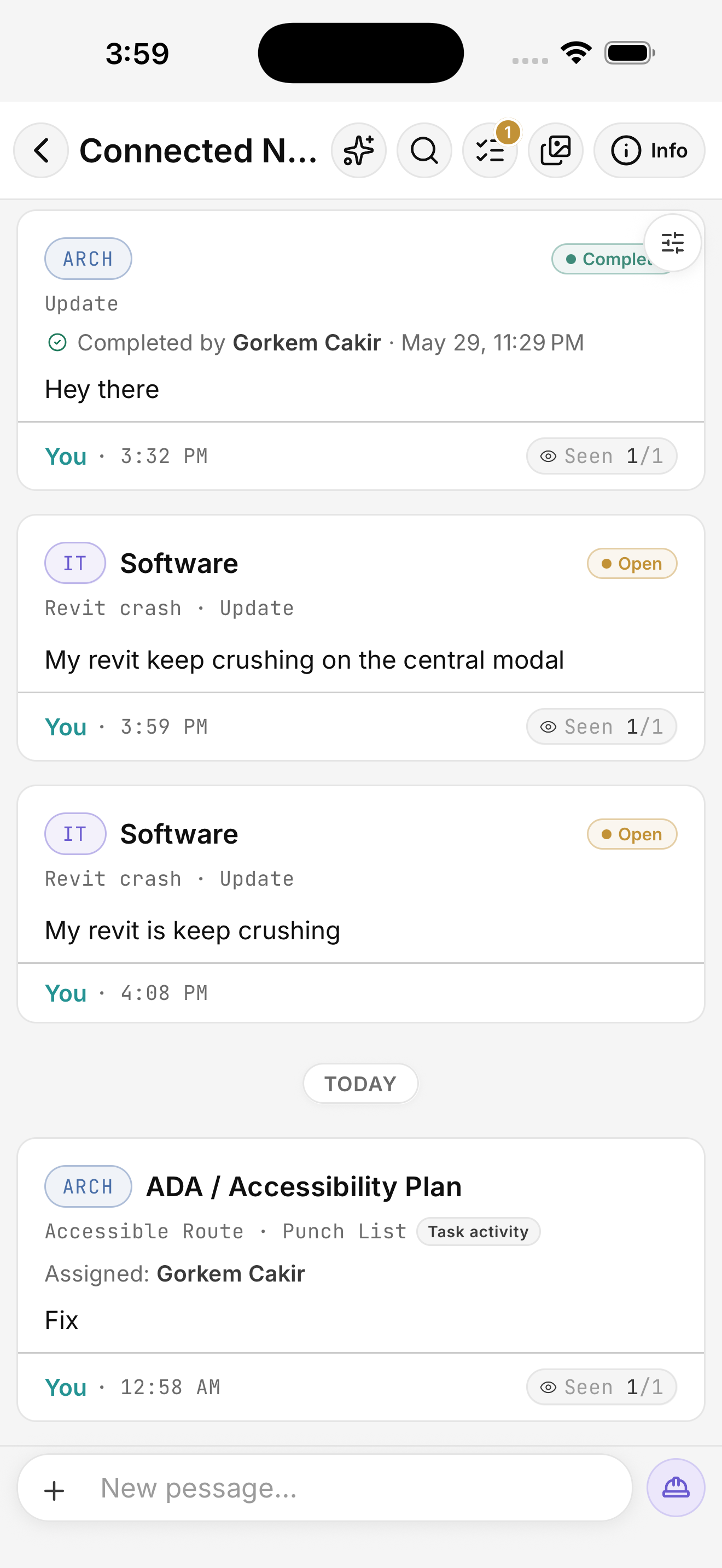
A Pessage project chat showing structured messages tagged automatically with division (ARCH, IT), entry type (Update), status (Open, Complete), and category (Software, Revit crash).
Built for the people who actually run a project
Architects General contractors Field superintendents Project managers Procurement Owners IT support
Structured by default

Every message becomes data.

Type the way you talk to your team. Pessage's engine reads the body in real time and tags it — division, subdivision, category, entry type, status, room. No forms. No taxonomy menus. The chips just appear.

ARCH · Floor Plan ELEC · Panel Schedule IT · Software ● Complete ● Open
  • 14 AEC divisions plus per-project custom ones, all auto-detected from the body.
  • Drawing-aware — sheet codes in a message link straight to the live drawing.
  • Status flow that matches the field — Open · In progress · On hold · Complete.
What you type → what Pessage tags
"My Revit keeps crashing on the central model"
divisionIT
subdivisionSoftware
categoryRevit crash
entry_typeIssue
statusOpen
// No menus. No setup.
// Routed to the IT team in <2 seconds.
Search that knows the job

Find by the language of construction.

Search in Pessage understands trade vocabulary. Type "rebar" and find pessages about reinforcing steel. Type "VPN" and pull every IT ticket about it across projects. Aliases, synonyms, and misspellings are all the engine's problem, not yours.

  • 48+ alias clusters built in — "AHU" finds "air handler," "rebar" finds "reinforcing steel," and you can teach it more per project.
  • Procurement search tells you in one query: ordered, in transit, received, or never ordered.
  • Filter by who, when, what trade, and what status — all in one sheet.
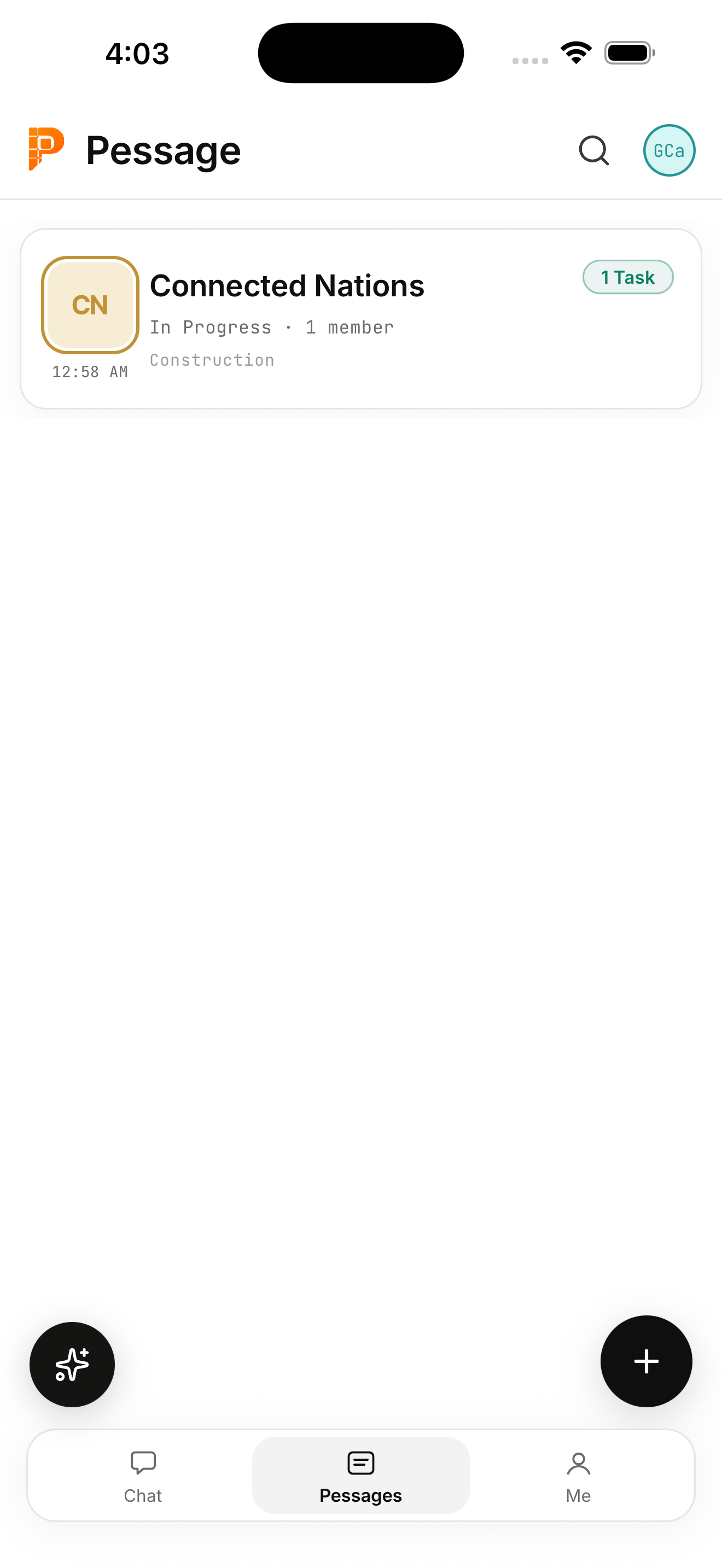
The Pessage app project list showing the Connected Nations project with a CN monogram, in-progress status, member count, and a 1 Task indicator.
Permissions, not chaos

The right people see the right things.

Every pessage carries a visibility scope — Project Team, Design only, Field only, or a custom IT-restricted fence. Server-side row-level security enforces it. The field superintendent doesn't get spammed by design RFIs; the owner doesn't see someone's password reset request.

  • Visibility classes derived automatically from each person's role and position.
  • IT-fenced channel — tickets stay between requester, IT staff, and admins.
  • Per-role sensitivity rules — restrict procurement decisions to admins + PMs, drawings to design + GC, anything to anyone.
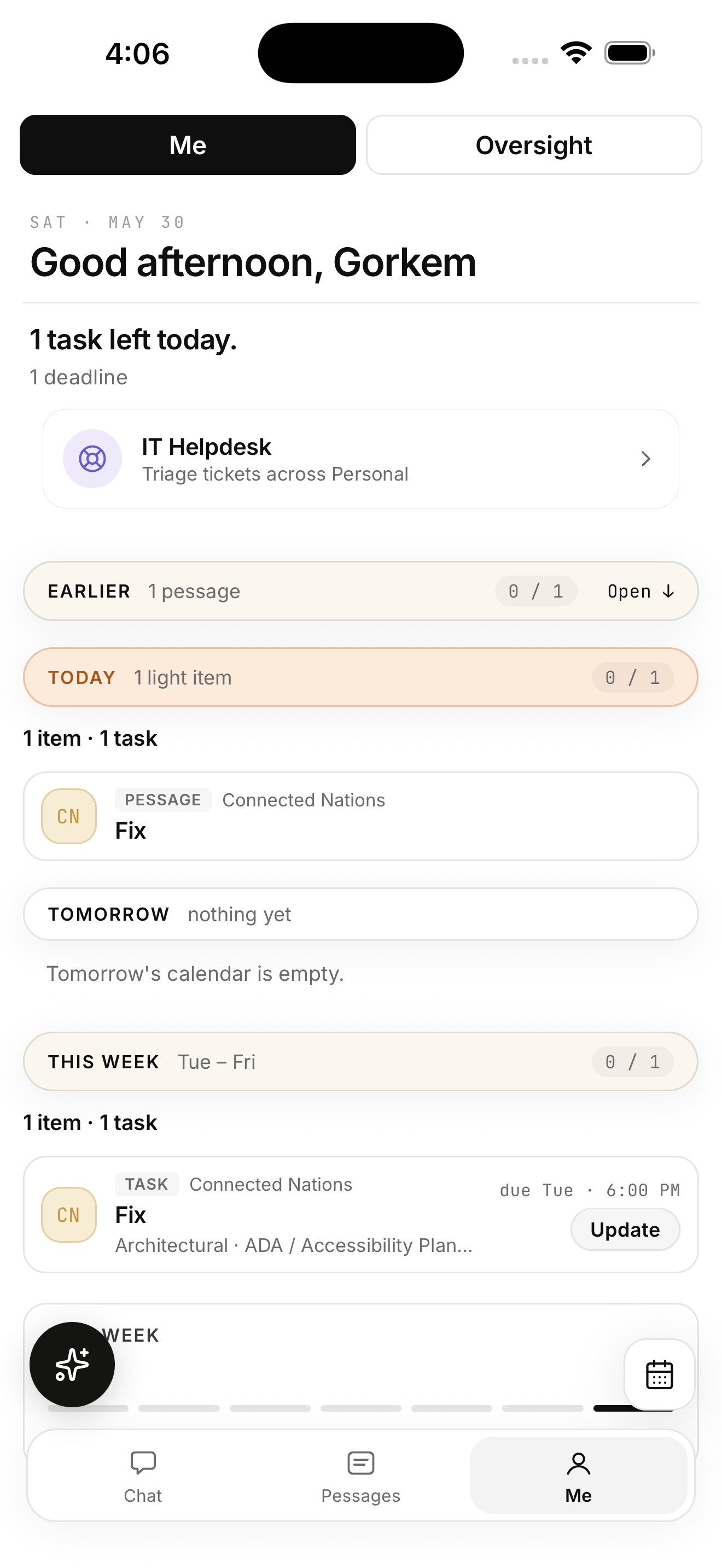
The Me hub in Pessage. A personalized verdict at the top — '1 task left today, 1 deadline' — followed by a workspace-wide IT Helpdesk card for users who triage IT tickets, plus banded sections for today, tomorrow, and this week's tasks and pessages.
Tickets that route themselves

One queue for the IT lead, across every project.

When a designer types "my Revit keeps crashing on the central model," Pessage auto-routes it to the IT division, files it as an Issue with status Open, and delivers it to the workspace's IT staff in one cross-project hub. The whole firm's IT load. One queue. Real assignment + status. No side-channel emails.

  • 87 IT synonyms baked in — Revit, AutoCAD, Rhino, Navisworks, Bluebeam, BIM 360, VPN, license, MFA, blue screen.
  • Cross-project triage hub — every IT ticket in the workspace, grouped by status.
  • Push to the right humans — server-side fan-out goes to workspace IT staff, not all 40 project members.
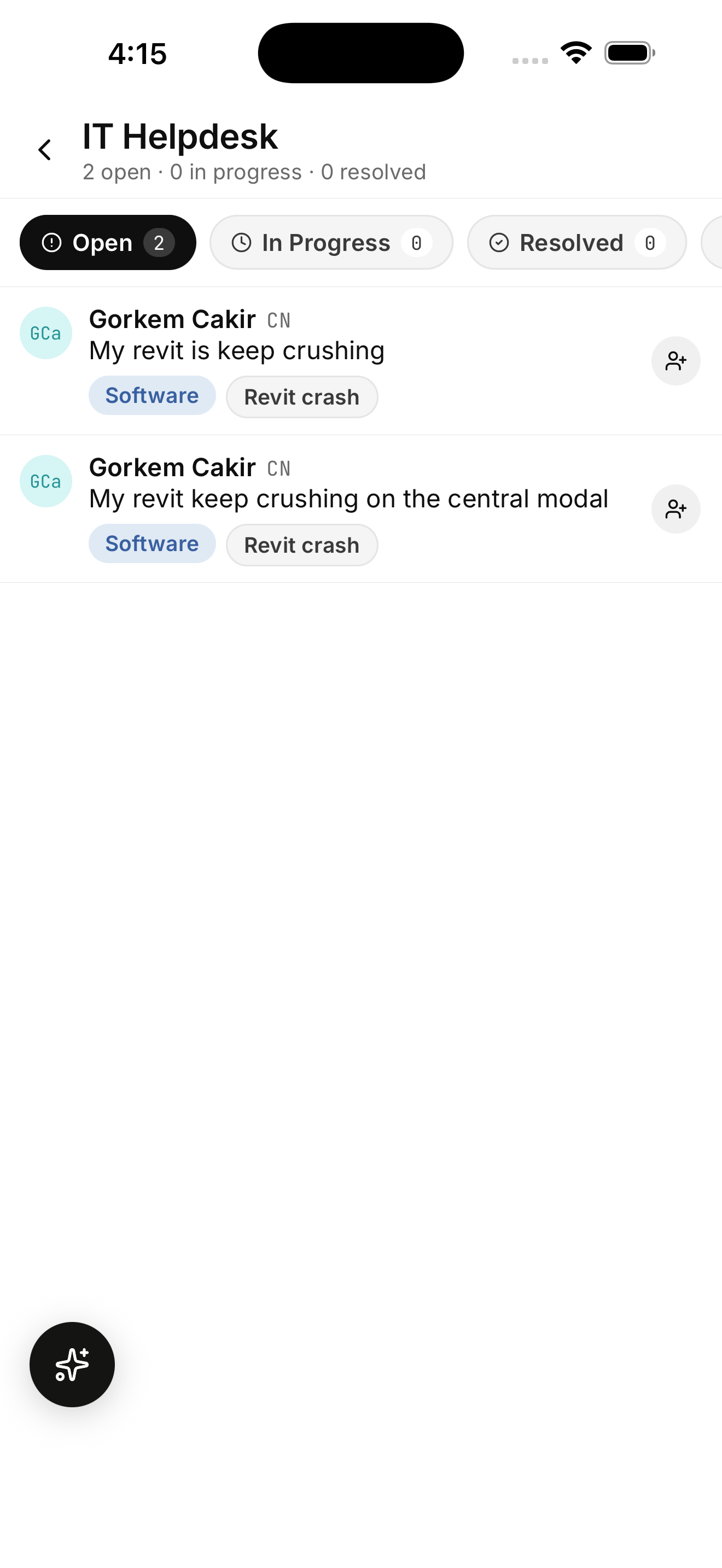
The IT Helpdesk triage hub showing two open Revit crash tickets — both auto-tagged as Software · Revit crash — from the same requester across the CN project. Status chips for Open, In Progress, and Resolved sit at the top.
Procurement that knows what's ordered

"Did anyone order this yet?" — answered in one tap.

Procurement lives in the project, not in a spreadsheet someone forgot to share. Search by the part, the vendor, the cost code, or your team's nickname for it. Status flows from Ordered → Shipped → Received → Installed, with a clean "not ordered yet" empty state and a request-to-add path for non-editors.

  • Alias-expanded search — "rebar" finds "reinforcing steel," "fire pump" finds the right jockey pump submittal.
  • Role-aware empty state — editors get +Add; field engineers get Request.
  • Real status pills, not free-text. Vendor + part + PO + cost code, all in one row.
Procurement search · forgiving by design
Search: "rebar"
resolves toreinforcing steel
also matchesreinforcement bar
finds3 procurement items
· #2 rebar (12" o.c.) Received
· #4 rebar (footing) Shipped
· #5 rebar (column) Ordered

Bring structure to the noisy part of construction.

Pessage is free to start. Sign in on the web, or grab the app — TestFlight on iOS, Internal Track on Android. Your existing projects, taxonomy, and team carry over.